"Is GS Auto Clicker safe?" is one of the most common questions about the program, and it deserves a careful answer rather than a quick yes. The honest picture has three parts: the program itself, the file you download, and how you use it. This guide looks at each one so you can make an informed decision and avoid the real risks.
The short answer
The GS Auto Clicker program from GoldenSoft is a small, long-established freeware utility that has been listed and reviewed by major download directories for years. When you download the genuine file from the developer and use it sensibly, it is a low-risk tool.
The risks that do exist come mostly from where people download it and how they use it:
- Modified installers from unofficial sites may bundle unwanted software
- Automation can break the rules of some games and online services
- Careless setups can click things you did not intend
Each of these is avoidable.
Part 1: The program itself
What GS Auto Clicker does on your PC
GS Auto Clicker simulates mouse clicks. It sends the same kind of input events Windows generates when you press a real mouse button. It does this only when you start a job with the hotkey or Click button.
It does not need to:
- Connect to the internet to work
- Create an account or collect your personal details
- Read your files or browsing history
- Run complex scripts or download extra components
Because its job is so narrow, there is very little that it needs access to.
Why antivirus tools sometimes flag auto clickers
Occasionally, security software labels auto clickers as "potentially unwanted" or flags them with generic warnings. This happens because the core behaviour — simulating input — is also something malicious programs do. A heuristic warning about input simulation is not the same as finding actual malware.
How to read a warning:
| What you see | What it usually means | What to do |
|---|---|---|
| Clean scan | No known threats | Proceed |
| Generic "PUP" or "HackTool" label | Behaviour-based caution about input simulation | Confirm the source, consider a second-opinion scan |
| Named trojan or malware family | A real threat, often from a modified installer | Delete the file and download from the developer |
When in doubt, delete the file and download a fresh copy directly from goldensoft.org.
Part 2: The download
This is where most real-world risk lies.
The problem with copies
Popular free programs attract copycat downloads. Some third-party sites wrap the original installer in their own setup that offers toolbars, browser changes or trial software. Others host outdated or altered files. A few use misleading advertising with fake download buttons.
How to get a clean copy
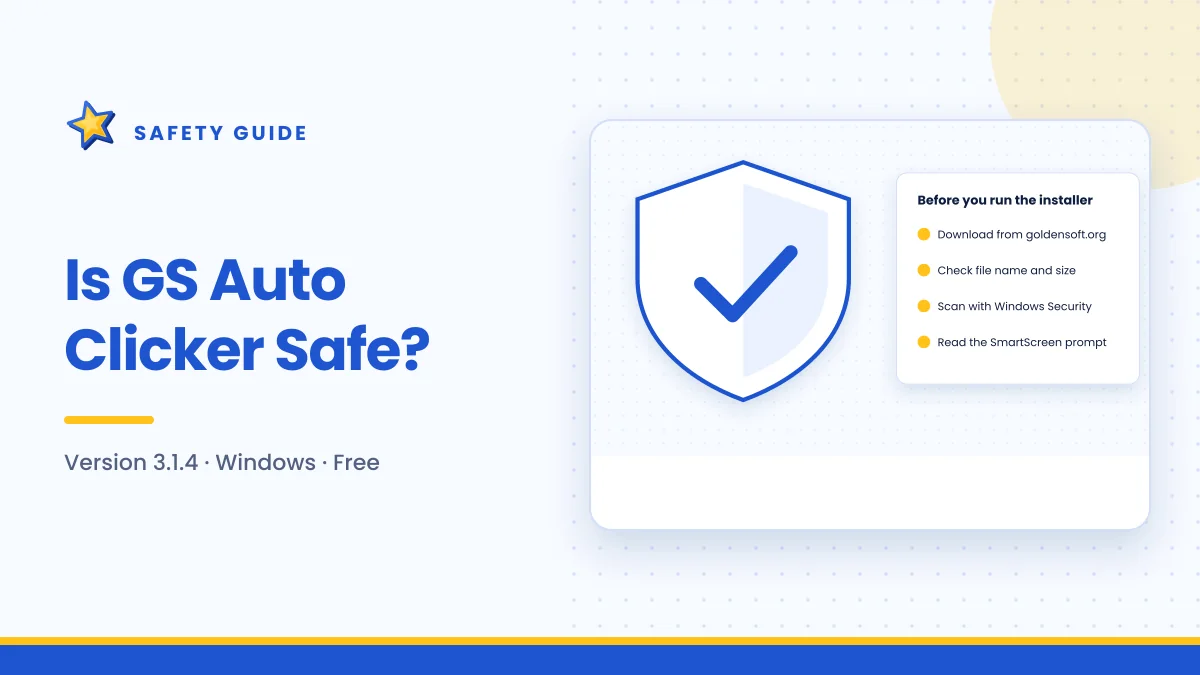
- Download from the developer. Use goldensoft.org. The buttons on gsautoclicker.app link there rather than hosting the file.
- Check the size. The genuine installer is under 1 MB. A much larger file is a red flag.
- Check the name and properties. The file should clearly refer to GS Auto Clicker; the Details tab may show version 3.1.4.
- Scan it. Right-click and choose Scan with Microsoft Defender.
- Watch the installer. The genuine setup is short and does not offer unrelated software.
Our download guide walks through each check with more detail.
About SmartScreen
Windows may show "Windows protected your PC" when you open the installer. This appears for many legitimate programs that are less commonly downloaded. It is a reason to double-check your source, not proof that the file is dangerous. If the file came from the developer and passed a scan, you can choose More info → Run anyway.
Never disable your antivirus to install any program. If a file is blocked, get a fresh copy from the official source and scan it again.
Part 3: Using it responsibly
A safe program can still cause problems if used carelessly.
Account safety in games and online services
Many online games and some websites forbid automation in their terms of service. Anti-cheat systems may detect automated clicking and suspend or ban accounts. Before using GS Auto Clicker with any online service:
- Read the game's or site's rules about macros and automation
- Assume competitive multiplayer games do not allow it
- Use it freely in offline, single-player or clearly permitted contexts
Avoiding accidental clicks
The most common practical risk is clicking something you did not mean to.
- Never aim automated clicks at delete, buy, send or submit buttons unless that is exactly what you want repeated.
- Use a fixed repeat count so jobs end on their own.
- Fix the pointer for single-spot jobs, so a bumped mouse does not redirect clicks.
- Keep the hotkey within reach as your emergency stop.
Workplace computers
On a work or school device, installing software may break IT policy even if the program is harmless. Check with your IT team first.
Keeping it up to date
Running the current release is part of staying safe. Version 3.1.4 is the latest Windows build at the time of writing. When you update, download the new installer from the developer in the same careful way rather than following links in pop-ups or emails that claim an update is waiting. GS Auto Clicker does not need a separate "updater" program, so treat any such offer with suspicion.
Privacy considerations
GS Auto Clicker works offline after installation and has no account system. Its function does not require sending your activity anywhere. As with any software, read the developer's own information on goldensoft.org if you need specifics about its privacy practices.
For this website, our privacy policy explains what we do and do not collect.
A safety checklist
Use this before every new installation:
- Downloaded from goldensoft.org
- File is under 1 MB
- Name and properties look correct
- Scanned with Microsoft Defender
- Installer offered no extra software
- Hotkey tested for start and stop
- Fixed repeat count for the first runs
Signs something is wrong
Stop and investigate if you notice any of these after installing:
- New browser toolbars, a changed homepage or a different search engine
- Unknown programs in your Start menu or Installed apps list
- Unexpected pop-ups or advertisements
- High CPU use when GS Auto Clicker is idle
These point to a bundled installer, not to the original program. Uninstall the unfamiliar software, run a full scan with Windows Security, and reinstall GS Auto Clicker from the developer.
Frequently asked questions
Is GS Auto Clicker a virus?
No. The genuine program is a freeware utility from GoldenSoft. Problems arise when people download modified copies from untrustworthy sites.
Can GS Auto Clicker get me banned?
It can in games and services that prohibit automation. The program does not hide itself, so check the rules before using it online.
Does it collect my data?
It does not need internet access or an account to work. For full details, refer to the developer's own information.
Is it safe on Windows 11?
Yes, it runs on Windows 11. Keep Windows Security turned on and apply the same download checks as on any other version.
Summary
GS Auto Clicker itself is a small, long-standing freeware tool with a narrow purpose. The main risks are downloading a modified copy and using automation where it is not allowed. Get the file from goldensoft.org, confirm it is under 1 MB, scan it, watch the installer, and follow the responsible-use habits above. If something does go wrong, the troubleshooting guide can help.

Get GS Auto Clicker 3.1.4
Free, under 1 MB, for Windows. The button opens the developer’s website, goldensoft.org, in a new tab.
Download GS Auto Clicker